
Features
Everything to light the party.
From the big-button desk to the 3D Studio, FutureLights covers the whole night: control from your phone, moving heads that follow your finger, lighting locked to the beat, and pro tools whenever you want to go further.
CH 001Made for beginners
Plug in, add, play.
FutureLights puts everything behind big coloured buttons, prepares a page for each fixture and keeps the complicated settings out of your way.
Plug in
Your USB interface or network node is detected. “Identify” blinks its fixtures, so you instantly know which universe is where.
Add your fixtures
Pick them from the library, or take a photo of the manual: the channel table is read for you. Each fixture gets its own button pages automatically.
Play
A desk of big buttons that show their colour, a TAP for tempo, and an AUTO mode that follows the energy of the music while you mix.
CH 021Control
At your fingertips.
Your phone to play, your tablet to play and tweak, your PC to do everything. Scan a QR code and the desk opens, nothing to install.
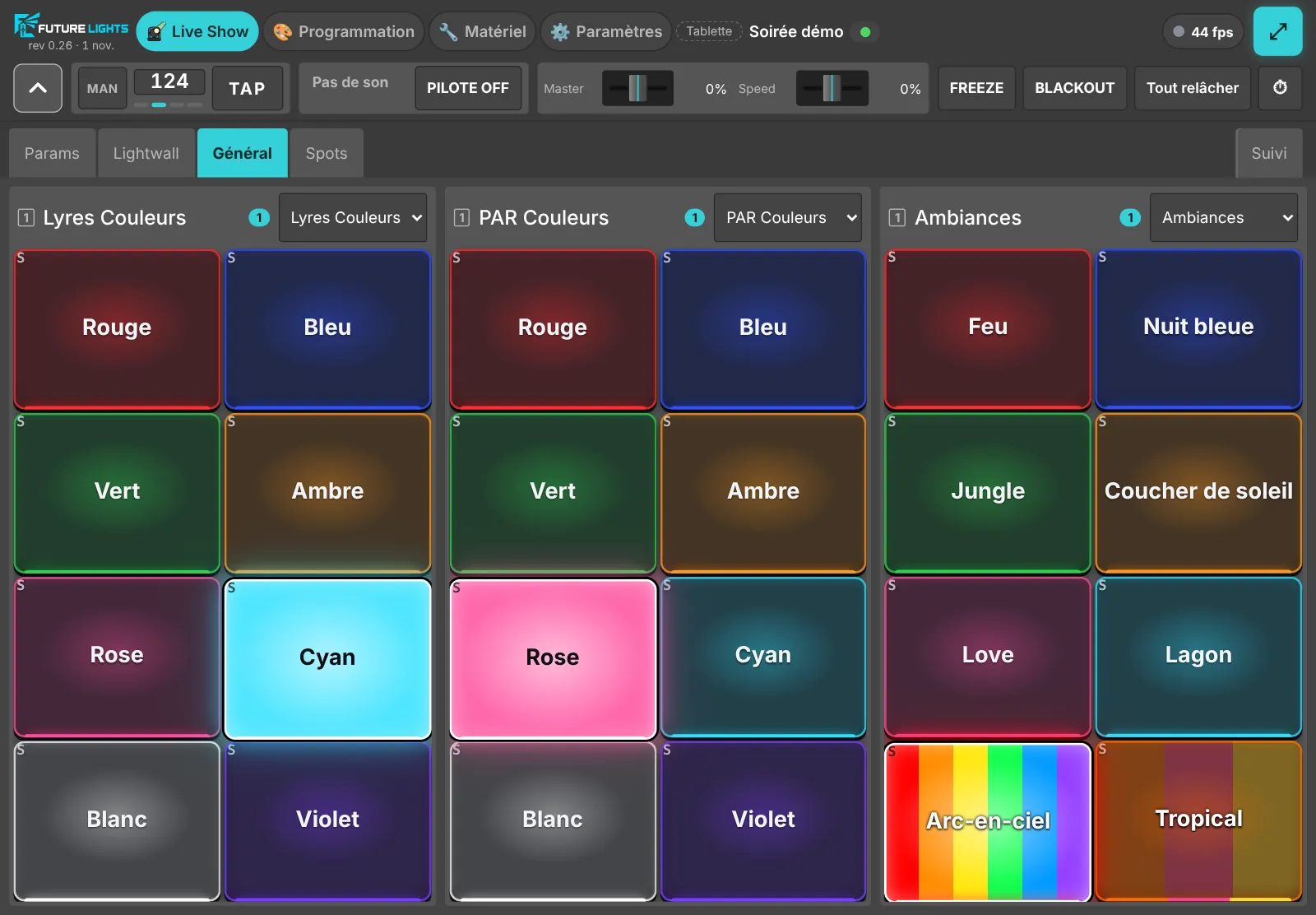
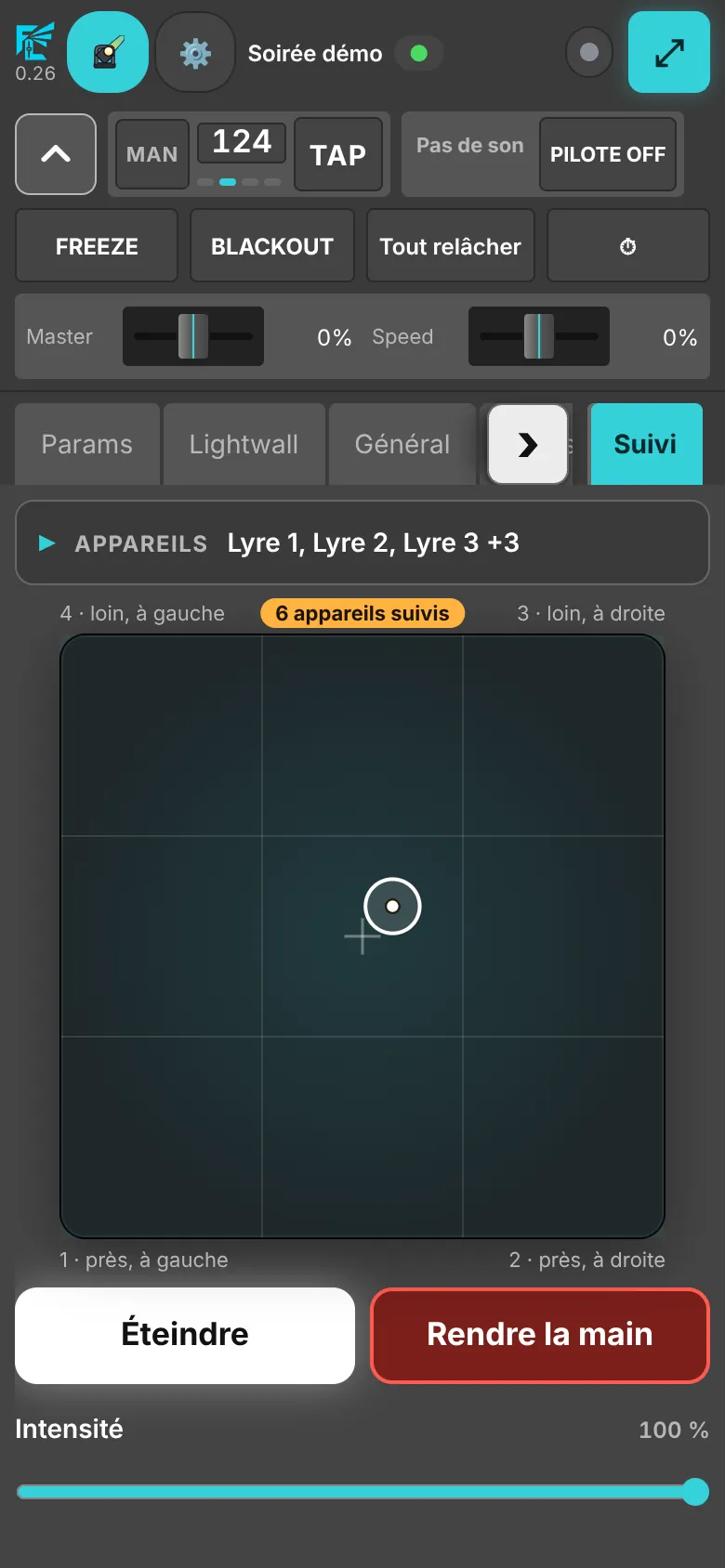
Phone
The desk fits in your hand: pages, TAP, Blackout, Freeze, even finger tracking. Perfect from the dance floor.
Finger tracking
Swipe on the tablet or the phone: the chosen moving heads follow your finger across the floor, within their safe zone. Perfect for the couple's entrance.
Protected desk
Optional password: guests who find the Wi-Fi won't find your lights.
 Demo
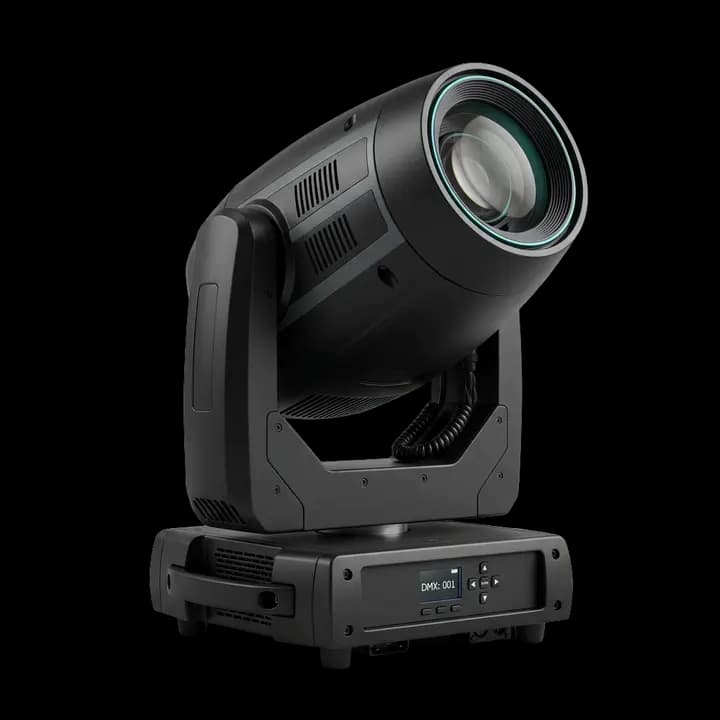
Try it: the moving head follows your finger
A finger tracking demo. Swipe your finger or move your mouse on the pad: the 3D moving head aims at the point you touch, with the slight inertia of a real fixture. In FutureLights, your own moving heads follow, within their safe zone.
CH 0313D Studio
See the show before the party.
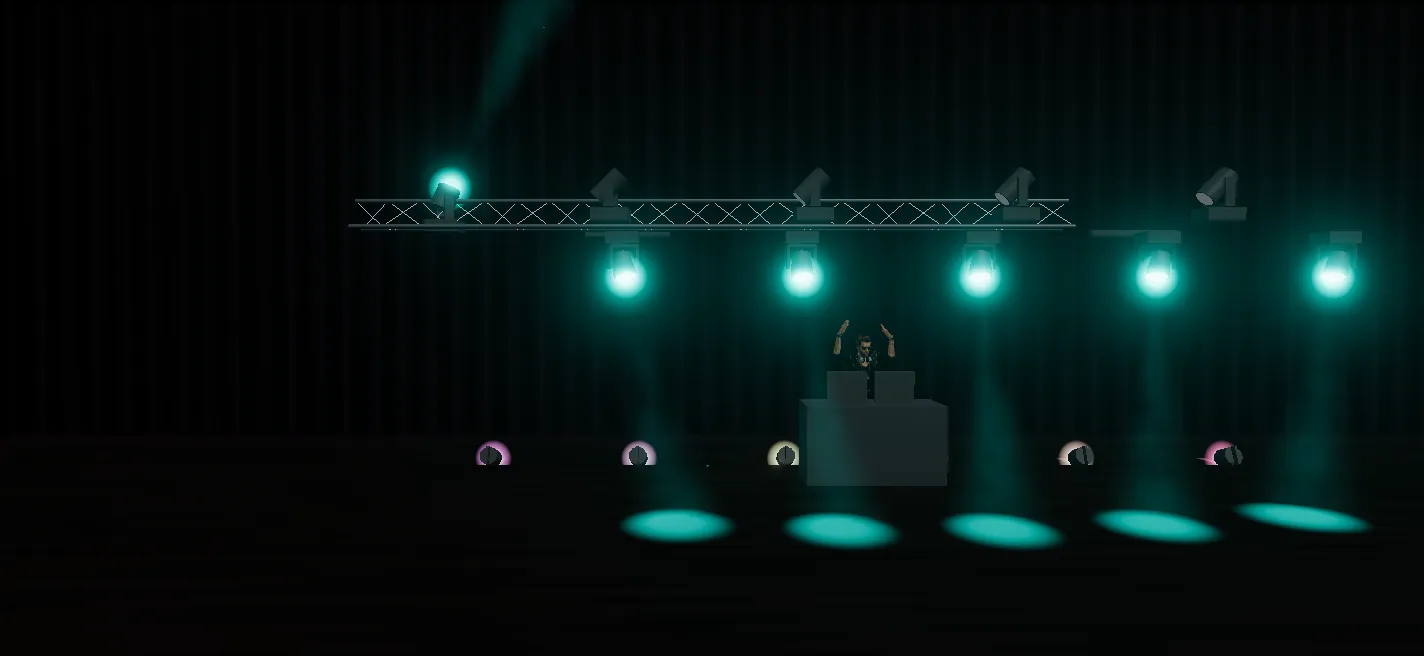
Place the truss, the moving heads, the DJ booth: the 3D Studio replays the DMX live, beams, haze and gobos included. Add a crowd of dancers, even LED wristbands on their wrists.
Safe zones
Moving heads aim at the dance floor, never at the walls or into the front row's eyes.
Spatial effects
A wave that really crosses the room from left to right, a pulse that starts from the DJ.
Position palettes
“Couple”, “Centre floor”, “Audience”: one tap and every head goes there.
Venue profiles
Village hall, club, marquee: one programme, several layouts.
CH 041Music sync
Locked to the beat.
FutureLights follows your mix: Ableton Link from your DJ software, MIDI clock from your mixer, or audio analysis. A TAP whenever you want to take over.
The autopilot picks looks by the energy of the music, changes pages at the right moment, and respects what you play by hand.
Effects can follow the energy: a circle of moving heads that speeds up as the room heats up.
CH 051Programming
And when you want to go further.
Everything a lighting operator expects, laid out so a DJ feels at home.
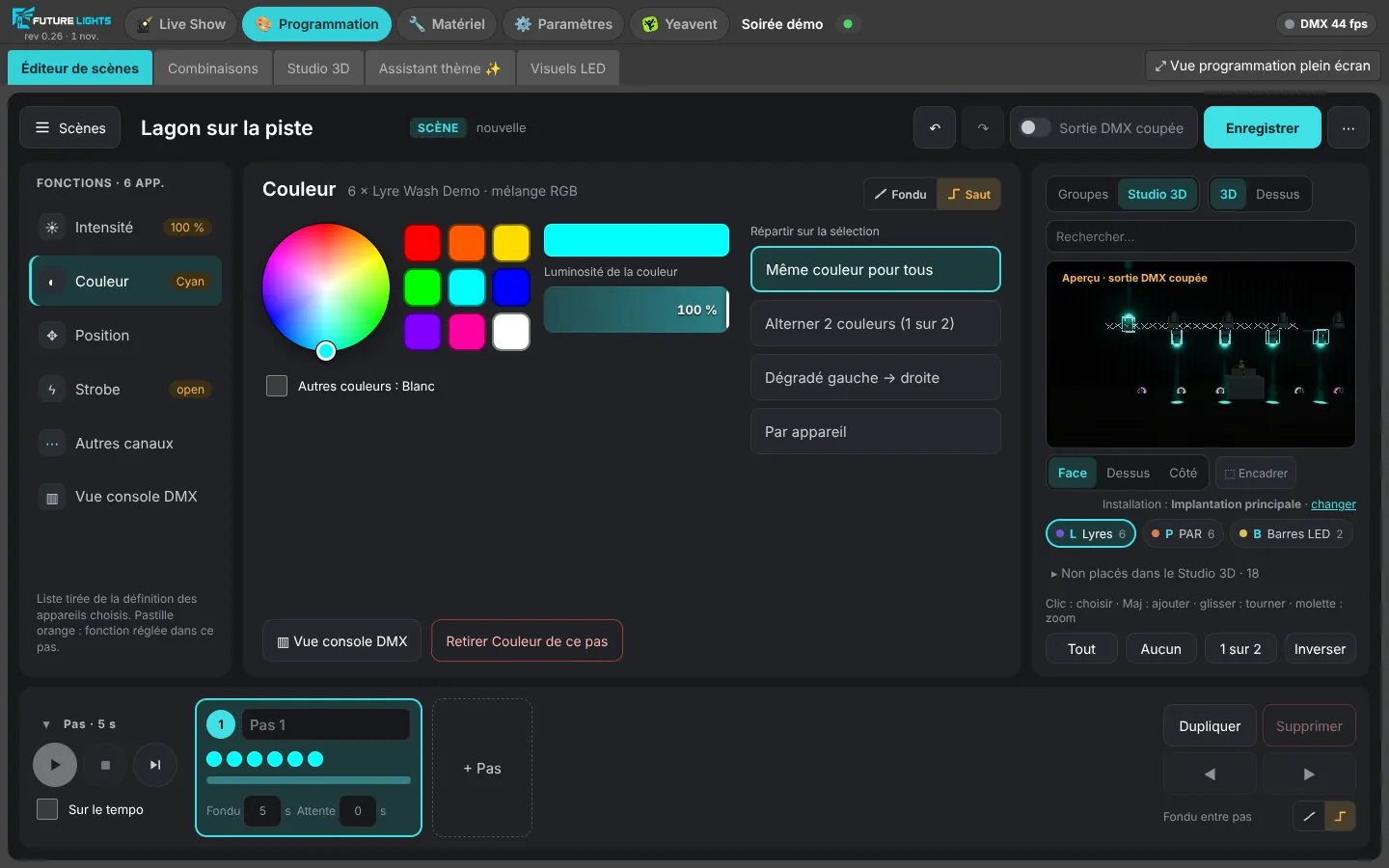
Scene editor
Steps with fade and hold, colour on the wheel, position on the pad, by group or fixture by fixture.
Generator effects
Circle, figure eight, wave, rainbow, free curve; offset between fixtures, ping-pong, tempo sync.
Combinations
“If these buttons are on together, then press that one”: rules written as sentences.
Macros and keys
One button that replays several, a keyboard key, HTP or LTP merging set button by button.
CH 061Scripted show
A show locked to your track.
For the couple's entrance or the first dance: a video-editor style timeline, with the audio track and lighting blocks that snap to the beats and bars.
In developmentText-to-show is coming soon.
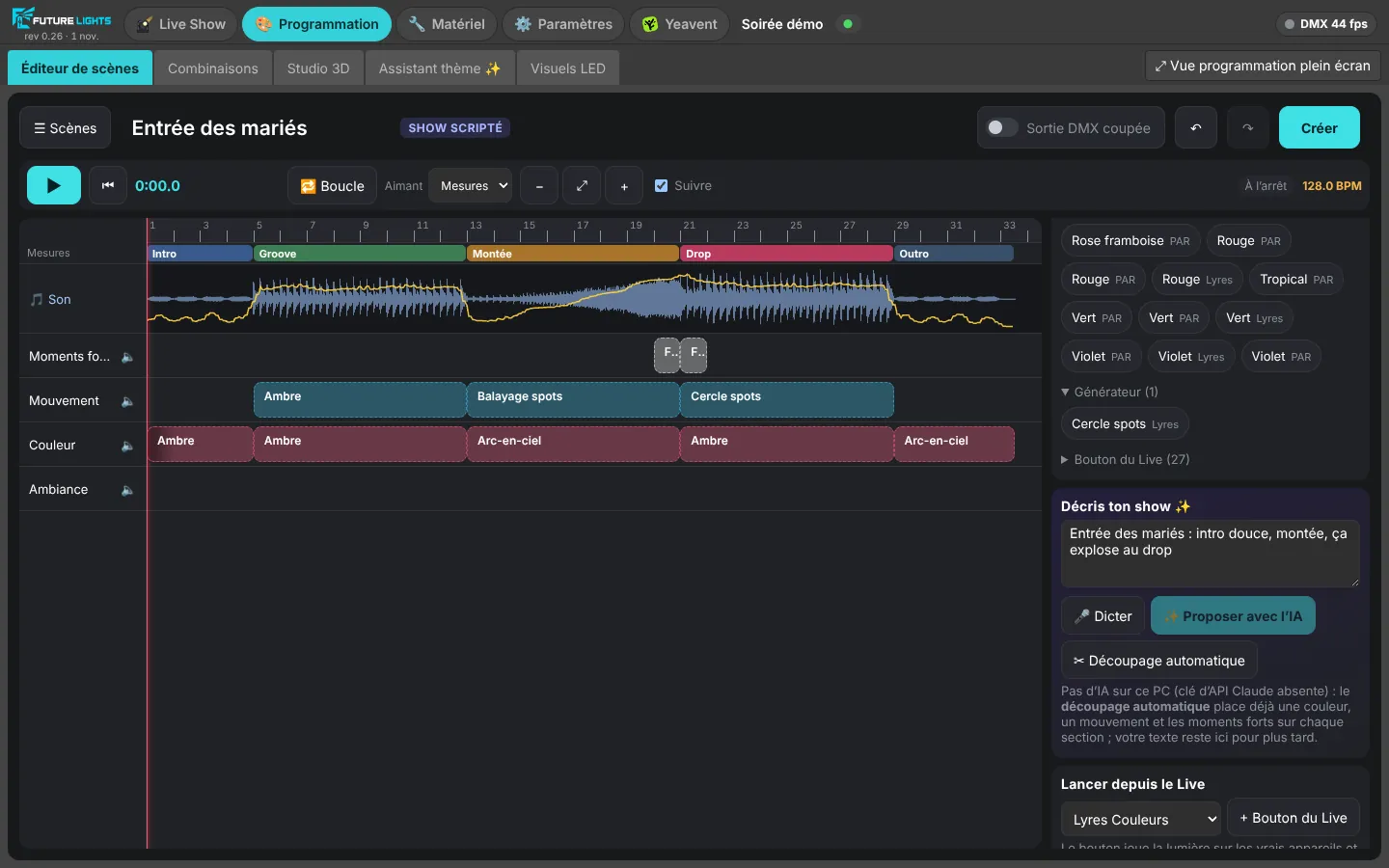
The track analysed
Tempo, downbeat and sections (intro, build-up, drop, outro) are marked on the waveform.
Snapping blocks
Scenes, effects and themes go on the timeline and snap to the bars. Move, stretch, loop a passage.
- Coming soon
From text to show
Write or dictate the running order: the AI suggests the whole show, you fine-tune it.
CH 071LED panels
Your screens, in the same desk.
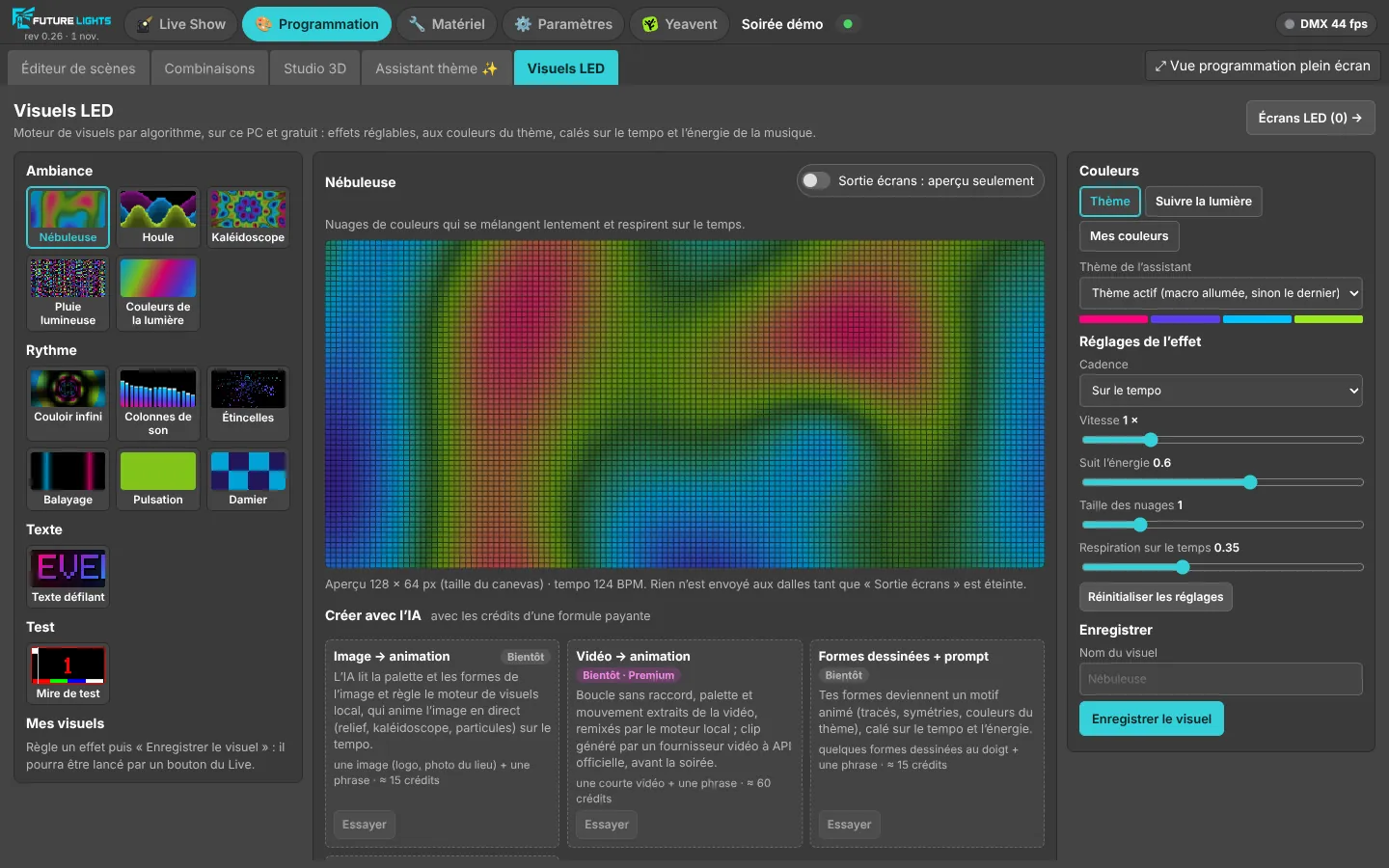
LED panels, totems, stage backdrop: FutureLights will send visuals generated live, locked to the tempo and matching the lights. Plug in the screen, it shows up, it follows the show.
In development- Network controllers: WLED over DDP, LED screen receiver cards
- Free procedural patterns, rendered on your PC
- Image and logo animation, AI clips with the paid plans
In development: first tests on HUB75 panels are under way.
CH 081Yeavent quiz
The lights play the quiz.
With Yeavent, the no-install interactive app for your events, every moment of the quiz triggers its own lighting: new question, suspense, reveal, special question, scores, victory.
A lock keeps control during the quiz: nobody spoils the moment by accident.
- Question
- Suspense
- Reveal
- Scores
- Victory
CH 091Cloud backup
Your shows, kept safe.
FutureLights can send a copy of your shows to our servers. It is encrypted on your PC before it leaves: nobody but you can open it, not even us.
Available in beta- Encrypted on your PC, with a recovery key you write down to restore on another PC
- Never during a party: the backup waits until the show is over
- 1 GB per installation during the beta, 100 MB per backup
CH 512
Ready for your next party?
The beta is free. Leave your email, we'll write when your spot is ready.