
Artificial intelligence
Say it. It lights up.
Describe a mood, snap a manual, tell it about your venue: the AI suggests, you see the result in 3D, you apply. Nothing reaches the fixtures without your say-so, and everything can be undone.
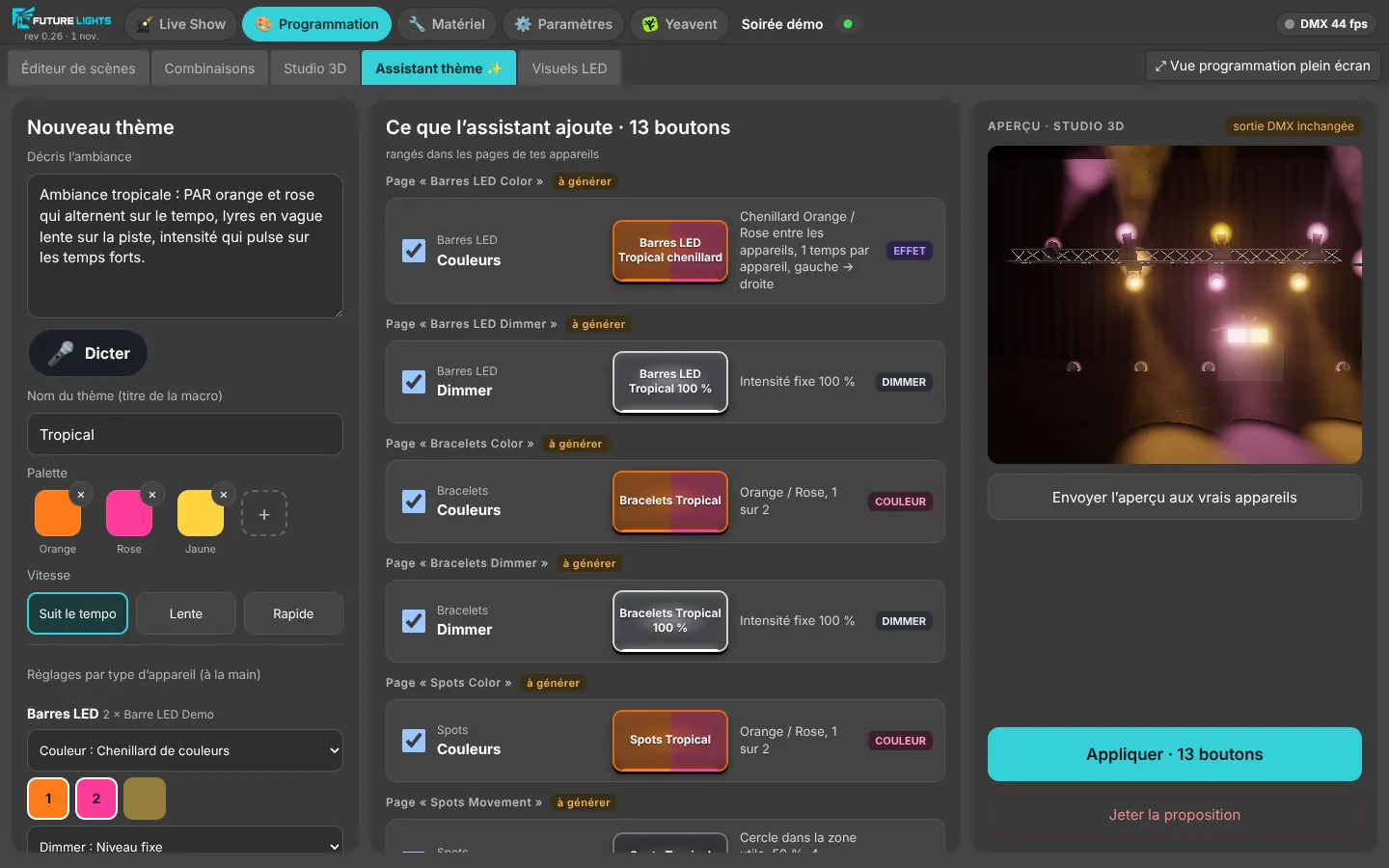
Tropical vibe: orange and pink PARs alternating on the beat, moving heads in a slow wave over the dance floor, intensity pulsing on the downbeats.
- PARorange / pink, every other
- Moving headsslow wave over the floor
- LED barschase on the beat
- Intensitypulses on the downbeats
13 buttons suggested, filed in your pages3D preview · DMX output untouched
CH 021What the AI does for you
Fewer settings, more atmosphere.
- Available in beta
A theme from one sentence
Describe the mood: the AI composes colours, movements and intensities for each of your fixtures, within their useful ranges.
- Available in beta
Auto lightshow
One button: FutureLights listens to the music and plays all your fixtures together, on the beat and with the energy of the track.
- Available in beta
Manual scan
Take a photo of the channel table: our AI extracts the information and creates the fixture in an open format.
- Available in beta
Described layout
“12 moving heads on the ceiling, DJ in the middle”: the AI builds the scene, the 3D Studio places the fixtures.
- Coming soon
Music-scripted show
The AI analyses the audio and fits the scenes and their dynamics to the builds, drops and downbeats.
- Coming soon
LED wall themes
Visuals set up by the AI from your sentence, and a visual library for subscribers.
The FutureLights AI works with nothing to set up: each action costs a few credits, and only when the answer is usable. Opening as a closed beta.
CH 011Our in-house AI
Trained on thousands of light shows.
Our AI learned from thousands of light shows created at Future Events gigs: weddings, parties, shows. It's built to generate something rich and spectacular, not just a basic chase.
- Moods proven at real parties
- Colours, movements, intensities and effects combined
- Built into FutureLights, nothing to set up
CH 021Auto lightshow
One button, and the whole room comes alive.
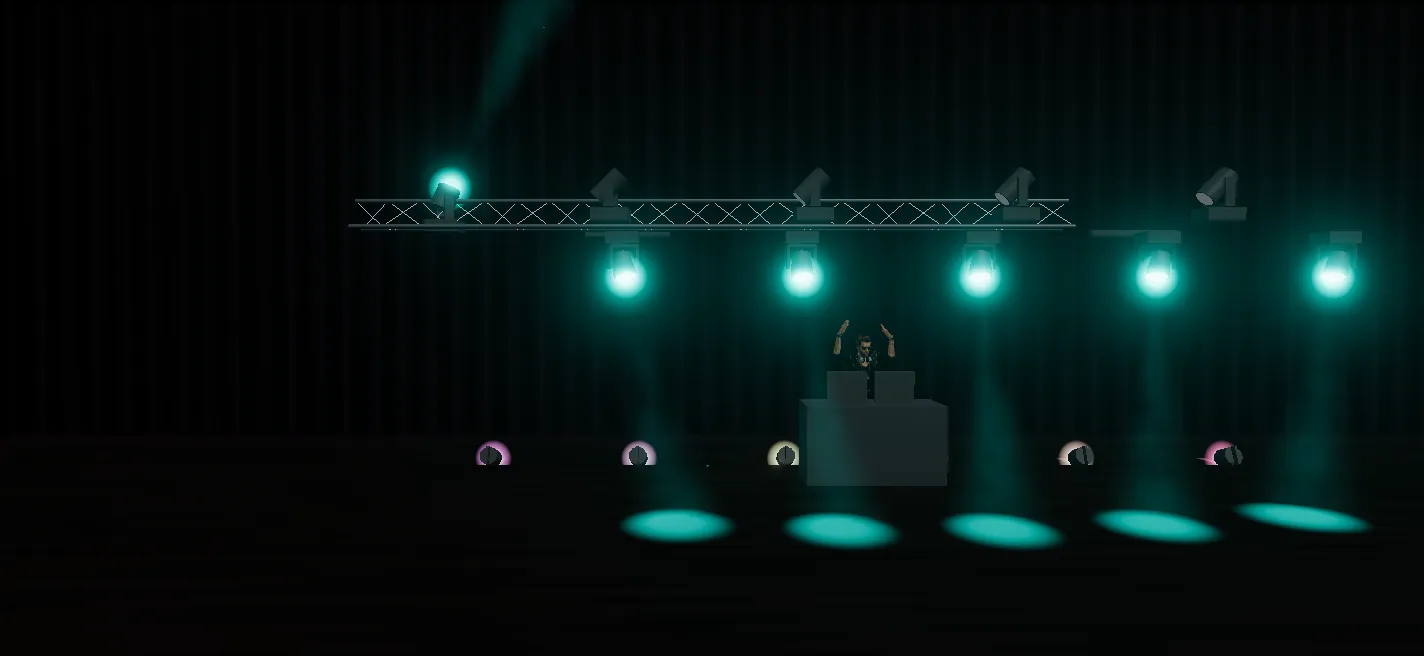
Press AUTO: FutureLights listens to the music and generates the light show on all your fixtures at once. The tempo comes from your DJ software over Link, and the lights follow the track's dynamics: laid-back in the verses, explosive on the drops.
- Moving heads, PARs and LED bars in sync
- Tempo over Link (Serato, Traktor, VirtualDJ, djay…) or by TAP
- Take back control at any moment
CH 031Manual scan
A photo of the manual, the fixture is created.
Take a photo of the DMX channel page or open the PDF: our AI extracts each channel's information and creates the fixture in an open format, the Open Fixture Library's. You check, you save, and it's ready to play.
- Channels, ranges and functions read for you
- An open file you can reuse and share
- You keep the final check
CH 041Described layout
Describe your stage, the 3D Studio builds it.
“12 moving heads on the ceiling in 2 rows of 6, the DJ in the middle with 4 LED PARs on the back wall”: the AI builds the scene and the 3D Studio places the fixtures. Adjust with the mouse and see your show before you even reach the venue.
CH 051Theme assistant
You stay in control.
The AI never touches the fixtures directly: it suggests buttons placed in your pages, which you watch in 3D, tweak by hand, apply or discard.
CH 061Scripted show
The AI listens to the track and times the show.
For the couple's entrance or a show finale: the AI analyses the audio, finds the tempo, the builds and the drops, then fits the scenes and their dynamics to the music. You fine-tune on the timeline.
In development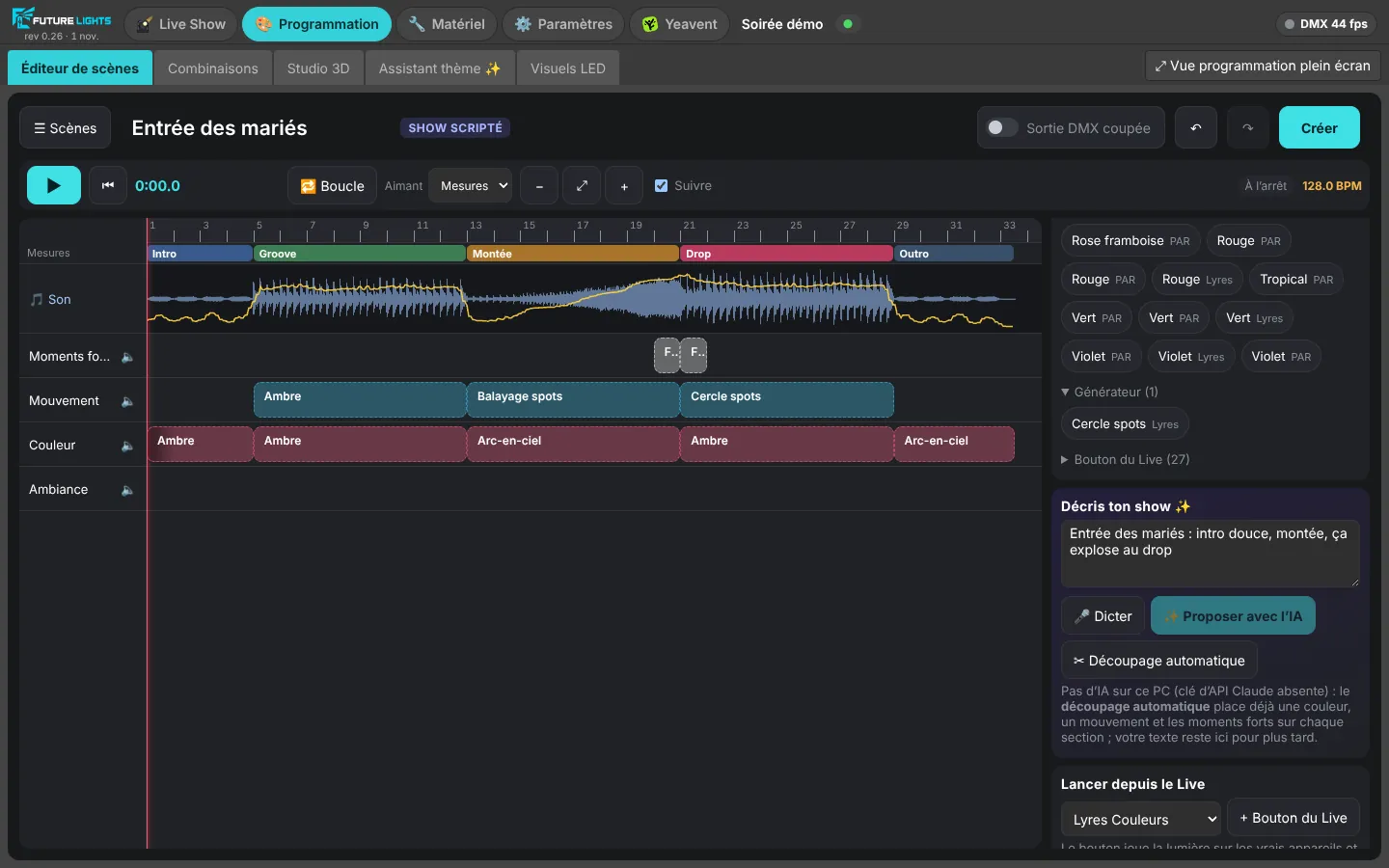
CH 071LED walls
LED visuals that match your night.
Describe the mood: the AI sets up your LED wall themes, colours, patterns and rhythm, in tune with your lighting. Subscribers will get access to a visual library.
In developmentVisual library reserved for paid plans, coming soon.
CH 512
Ready for your next party?
The beta is free. Leave your email, we'll write when your spot is ready.